Redesigning an indoor map tool to empower property managers with a faster, more efficient way to update their spaces
Hyperin
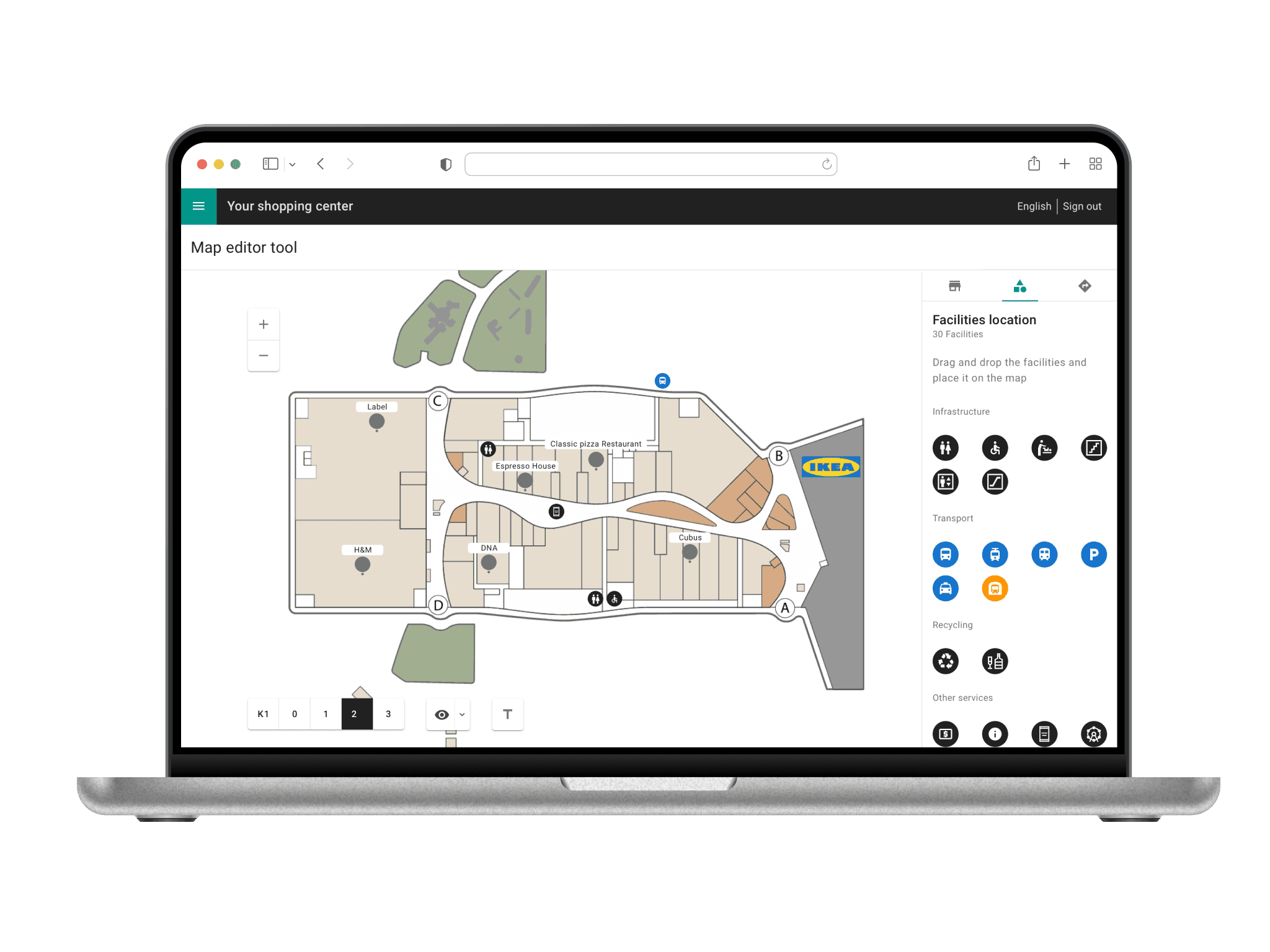
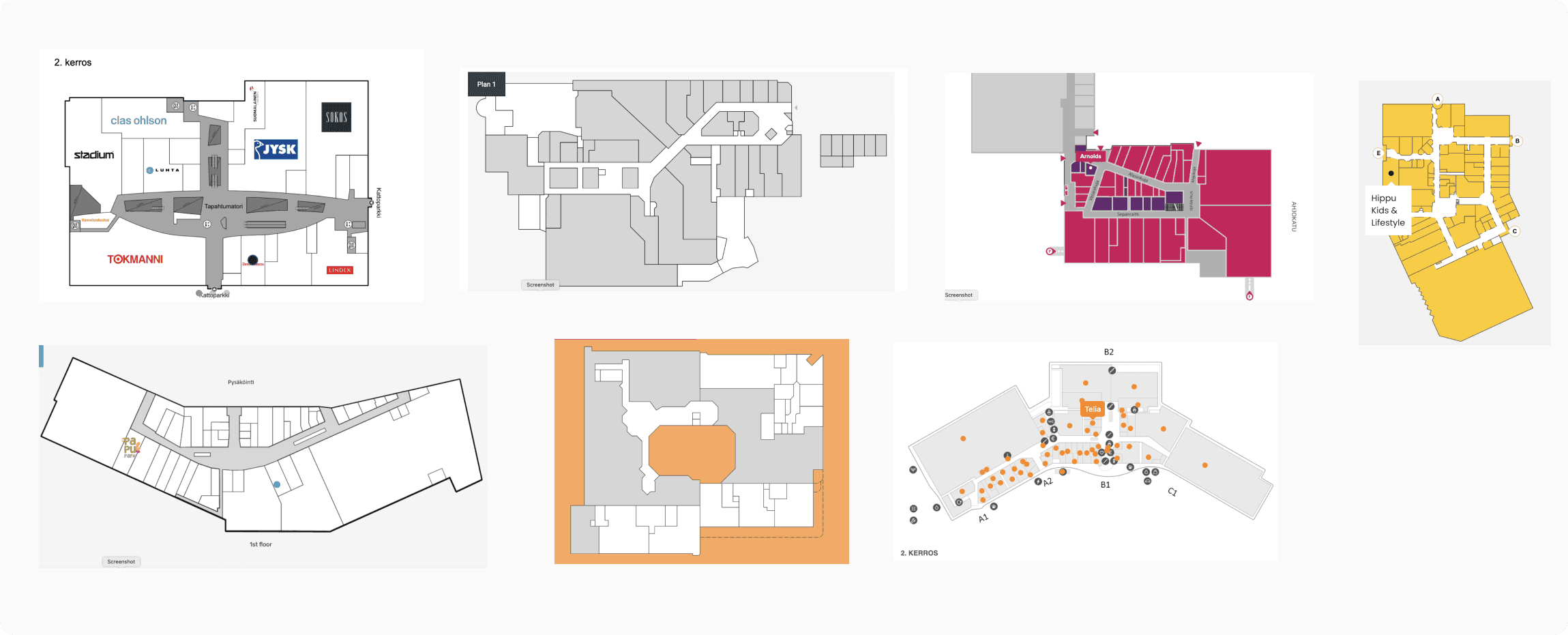
Shopping center property managers rely on indoor mapping tools to keep store locations, facilities, and navigation routes accurate across digital signage, websites, and mobile apps. These maps are critical to how visitors explore and interact with the physical space.
What I worked on
Development of concept design, user flows, look & feel, interactions, prototyping, UI/UX design.
As the sole designer, I audited the existing tool and reviewed accumulated user feedback. Designs were iterated in close collaboration with product managers, developers, and the customer success team.


The challenge
The existing map editor was outdated, slow, and difficult to use. Property managers often relied on customer service to make simple updates, slowing down operations and creating frustration.
Outcomes
Reduced customer support dependency
The new tool significantly reduced the need for customer support, empowering property teams to manage their maps more independently.
Returning users completed tasks effortlessly
User feedback showed that returning users navigated the feature without hesitation and completed their tasks smoothly during repeat visits.
Simplified workflows led to faster, more accurate edits
Client calls revealed that users completed workflows with fewer steps and needed to make fewer corrections compared to the previous design.
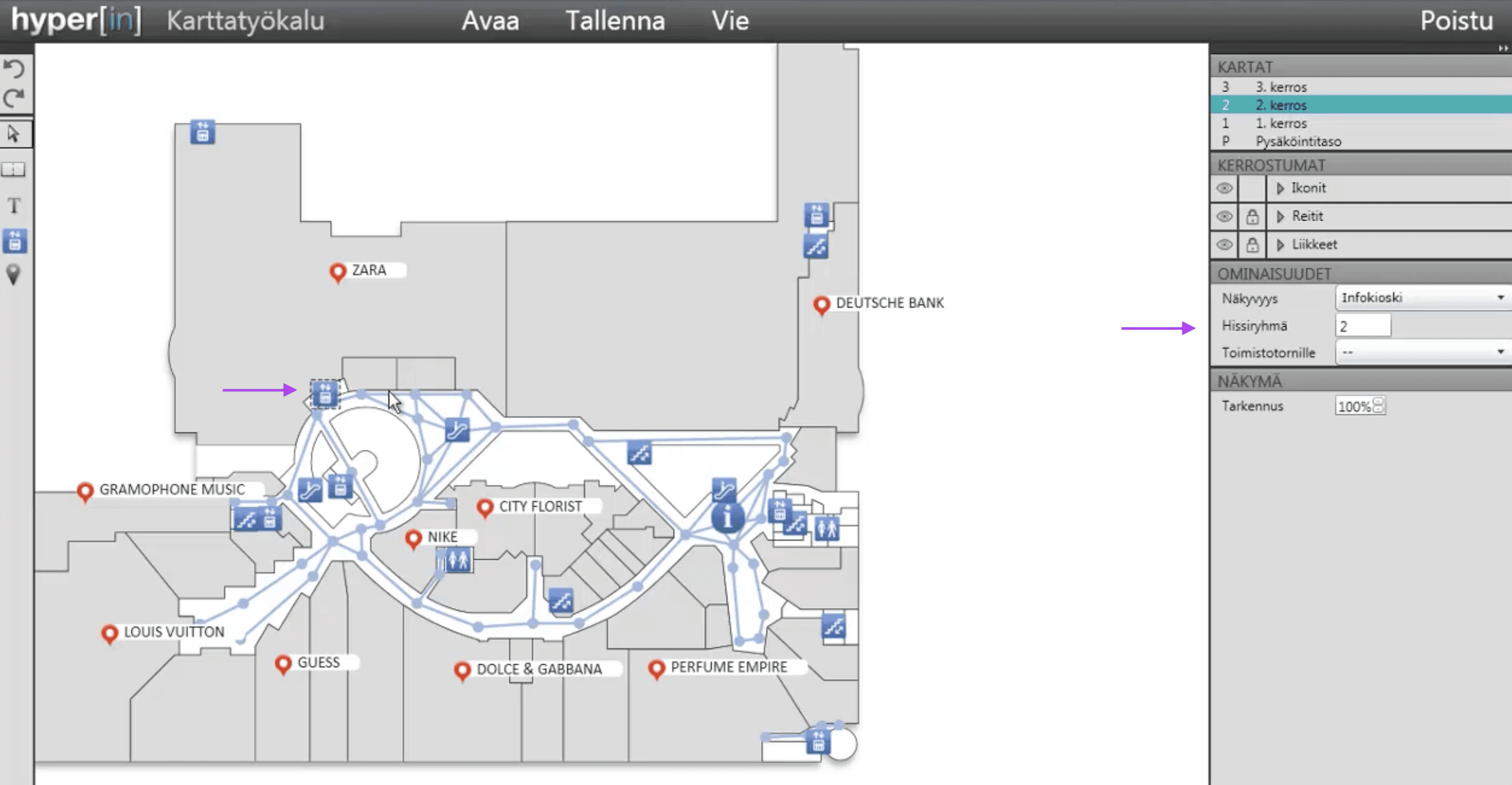
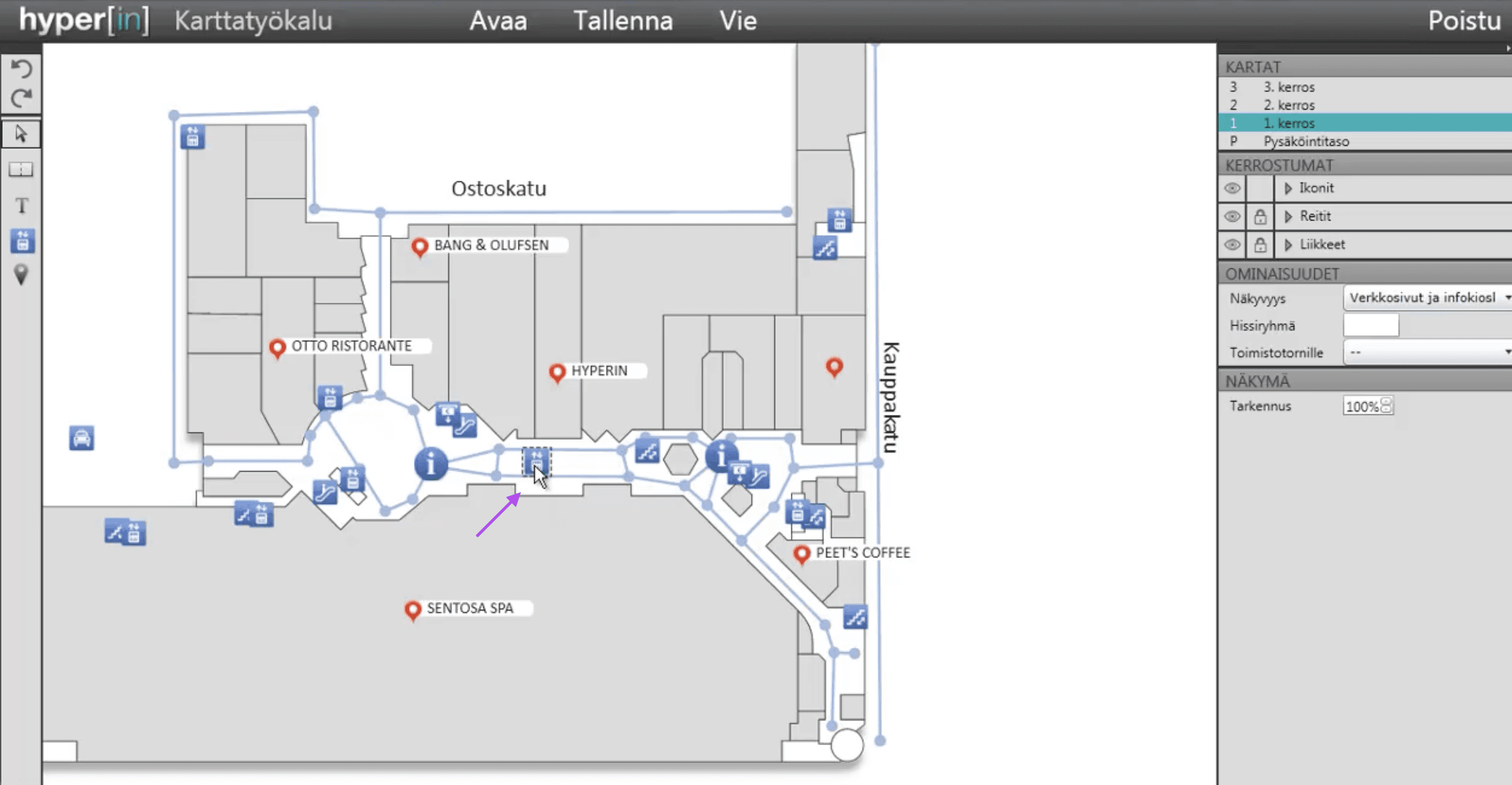
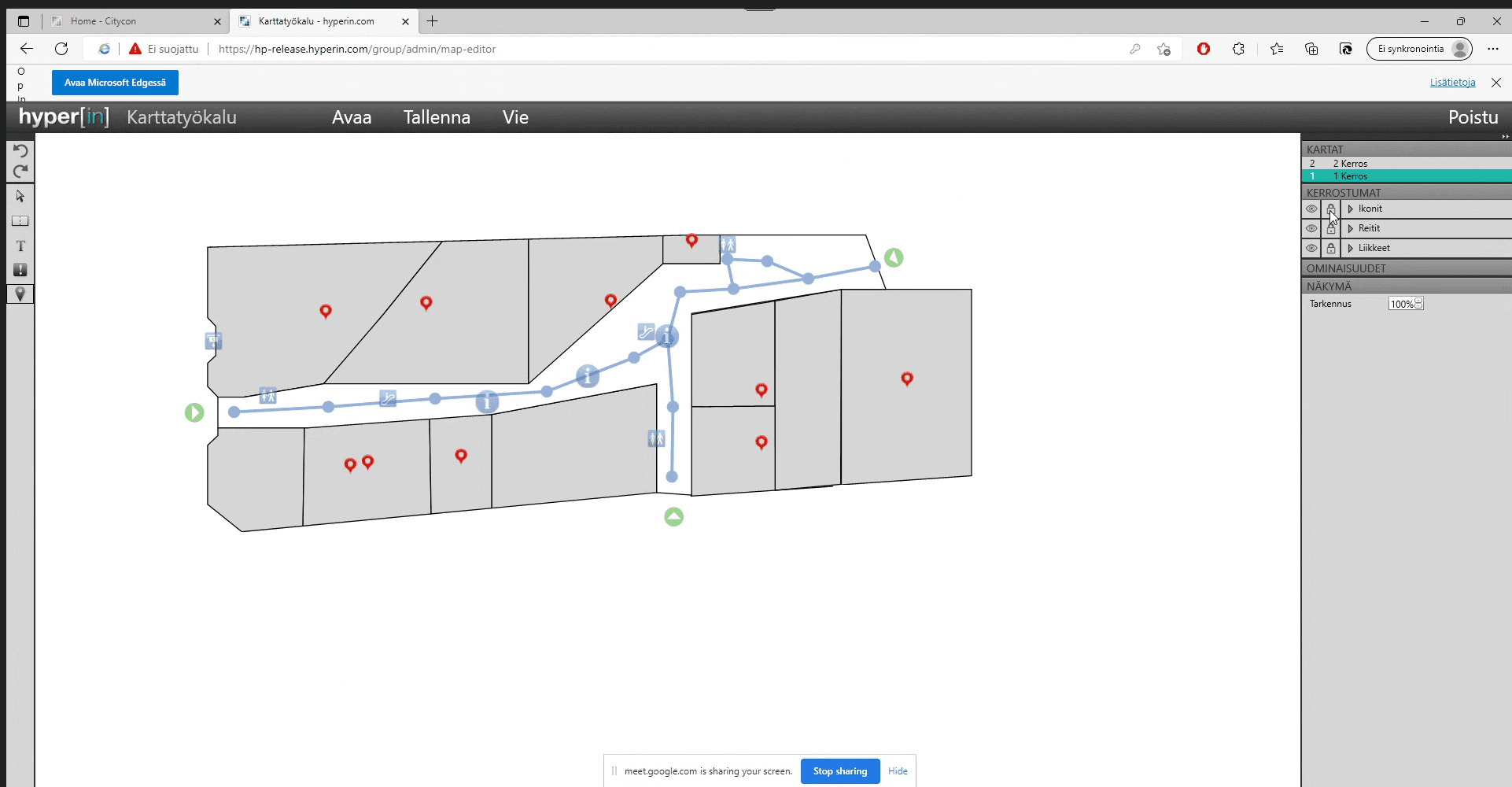
The current map tool is complex and rudimentary
To uncover the pain points I audited the feature and collected feedback through the Customer Service team since they were responsible on managing the maps. Here’s what I discovered:
Mayor issues
Difficult to navigate and complete task:
Not well integrated flows and navigation. No sense of completion and not consistent with the Admin Portal patterns.
Training needed for effective use:
Users need to be trained in order to use the map. The setup process can be confusing and is easy to make mistakes.
Extra cost and inefficiencies:
Customer service involvement was necessary to manage map tasks on behalf of users, causing extra cost and inefficiencies.

Ideation and collaboration
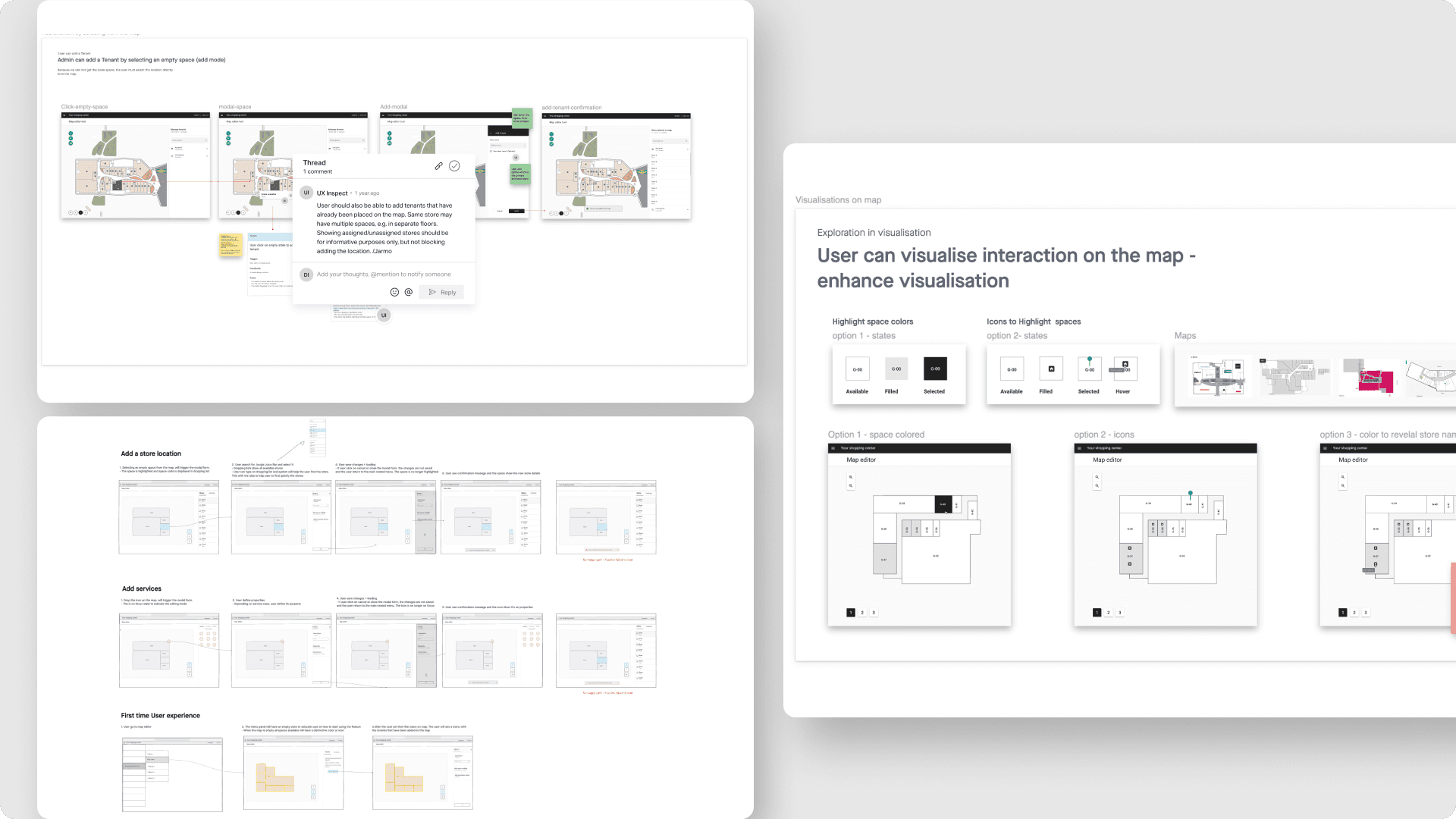
During the ideation phase, I created low-fidelity designs that allowed rapid experimentation and iteration without committing to high-detail visuals too early.
I also facilitated kickoff sessions and collaborative workshops with product managers, developers, and domain experts to iterate on user flows and assess technical feasibility.
Workshop goals and approach
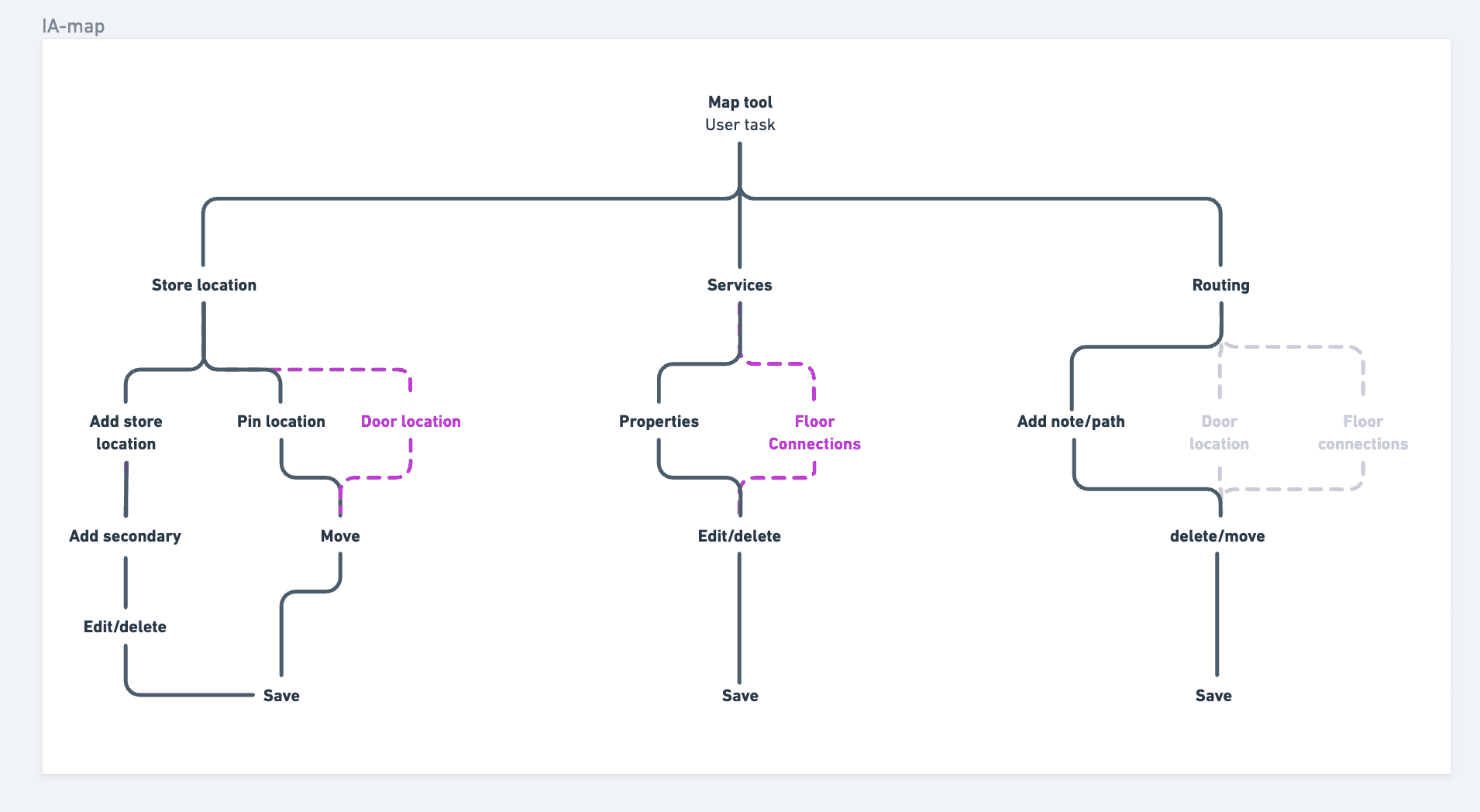
Synthesized ideas into structured, end-to-end flows so we could evaluate the system holistically rather than as disconnected experiments.
Visualized detailed flow concepts for each map layer, providing a foundation for backlog planning, prioritization, and stakeholder alignment.
Outcomes
Prioritized three core features that addressed the essential user interactions: store locations, building facilities, and map navigation.
Established a clear roadmap for design and development, ensuring the team focused on high-impact functionality first.
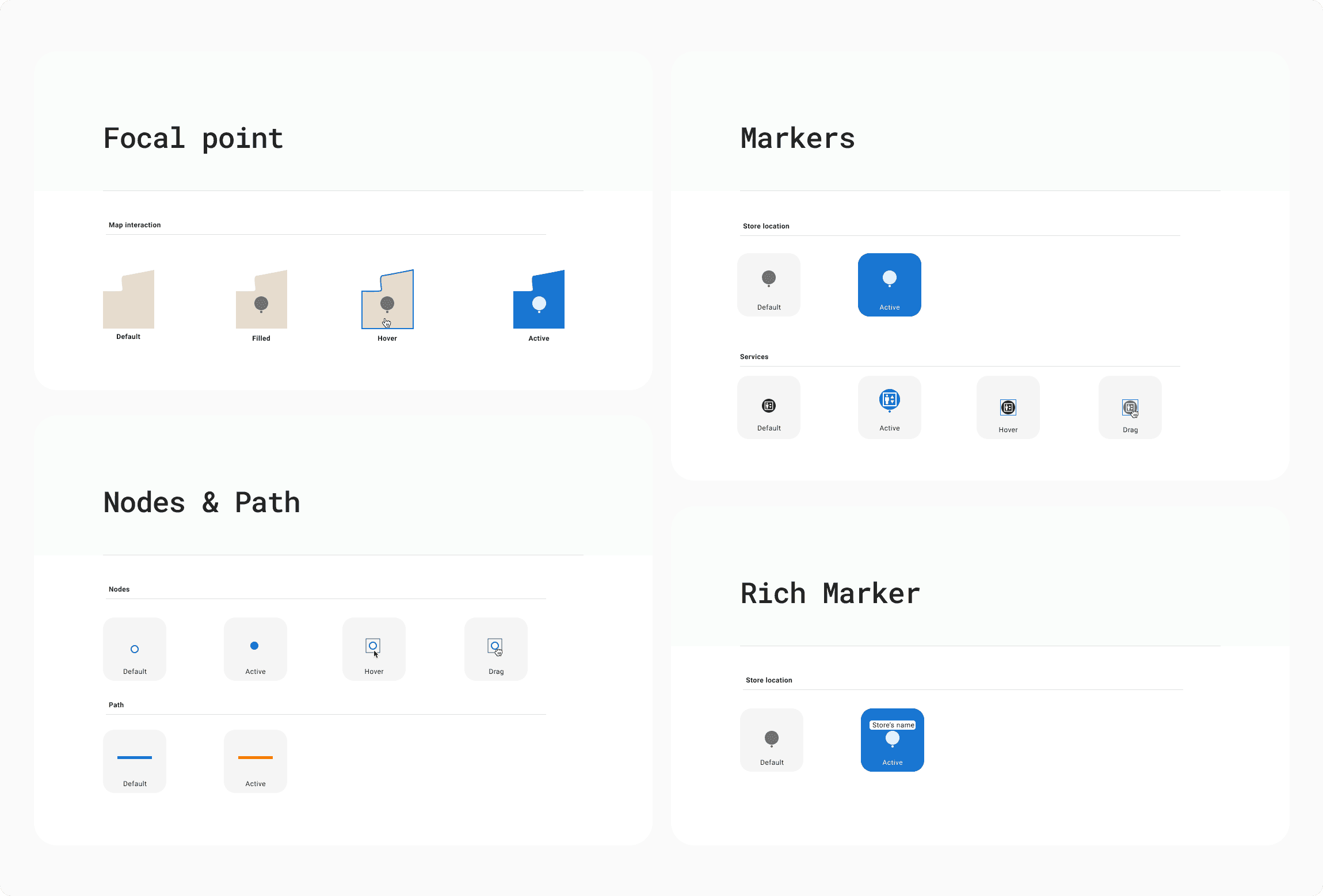
The design
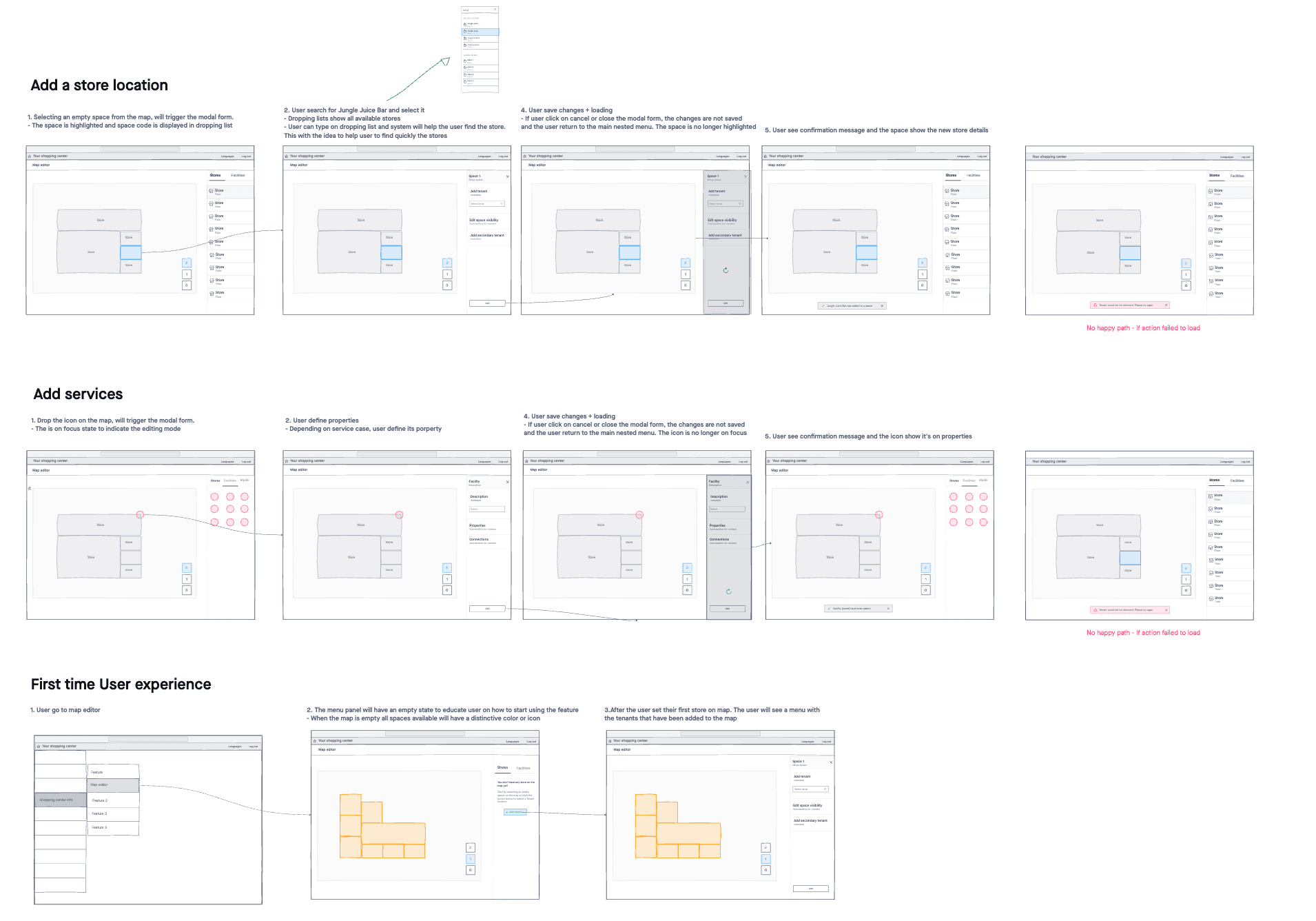
I simplified how users navigate between store locations, facilities, and routing layers to complete their tasks smoothly. Map interactions like zooming, panning, and floor selection were also streamlined for easier control.
Location management
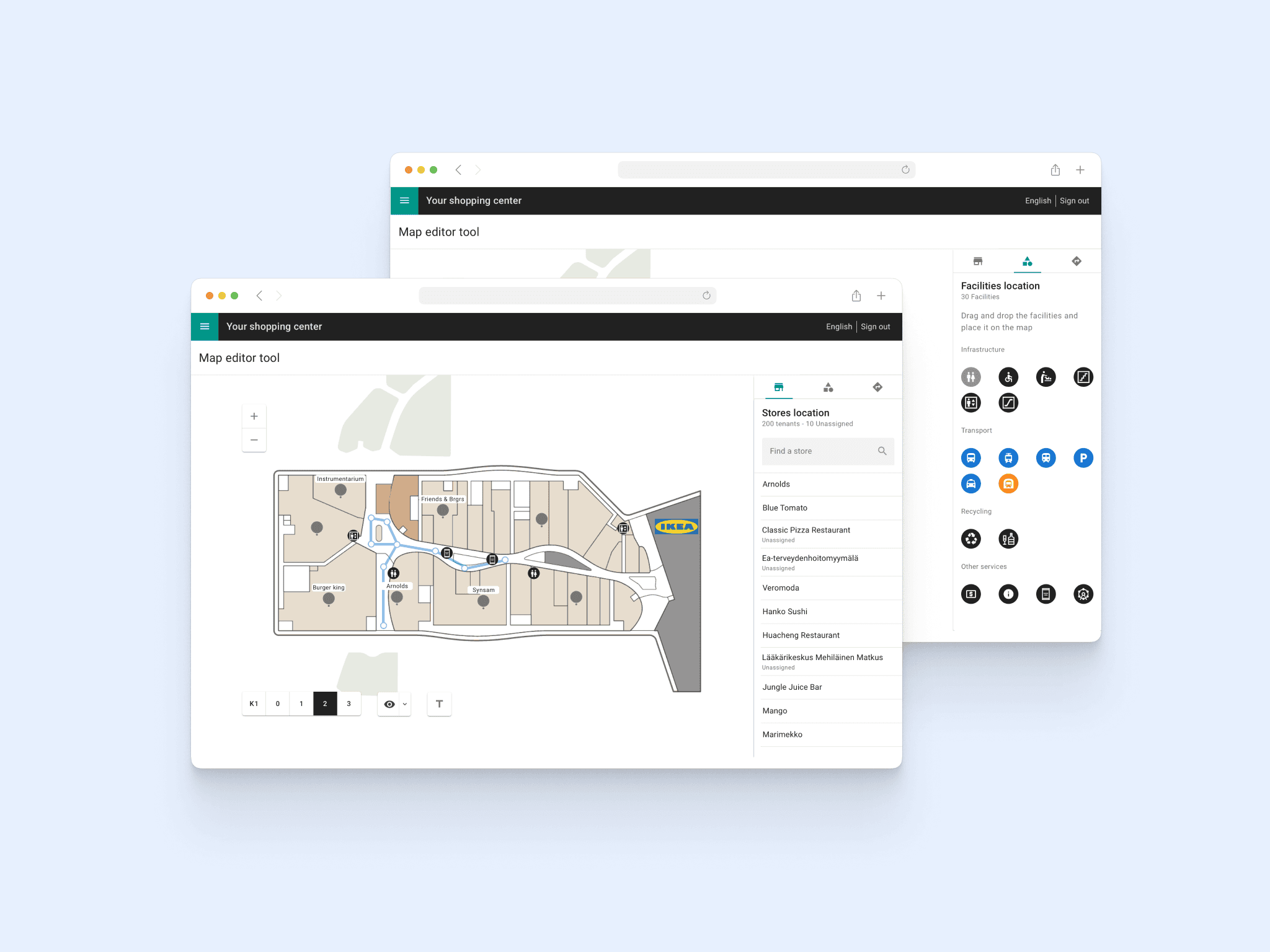
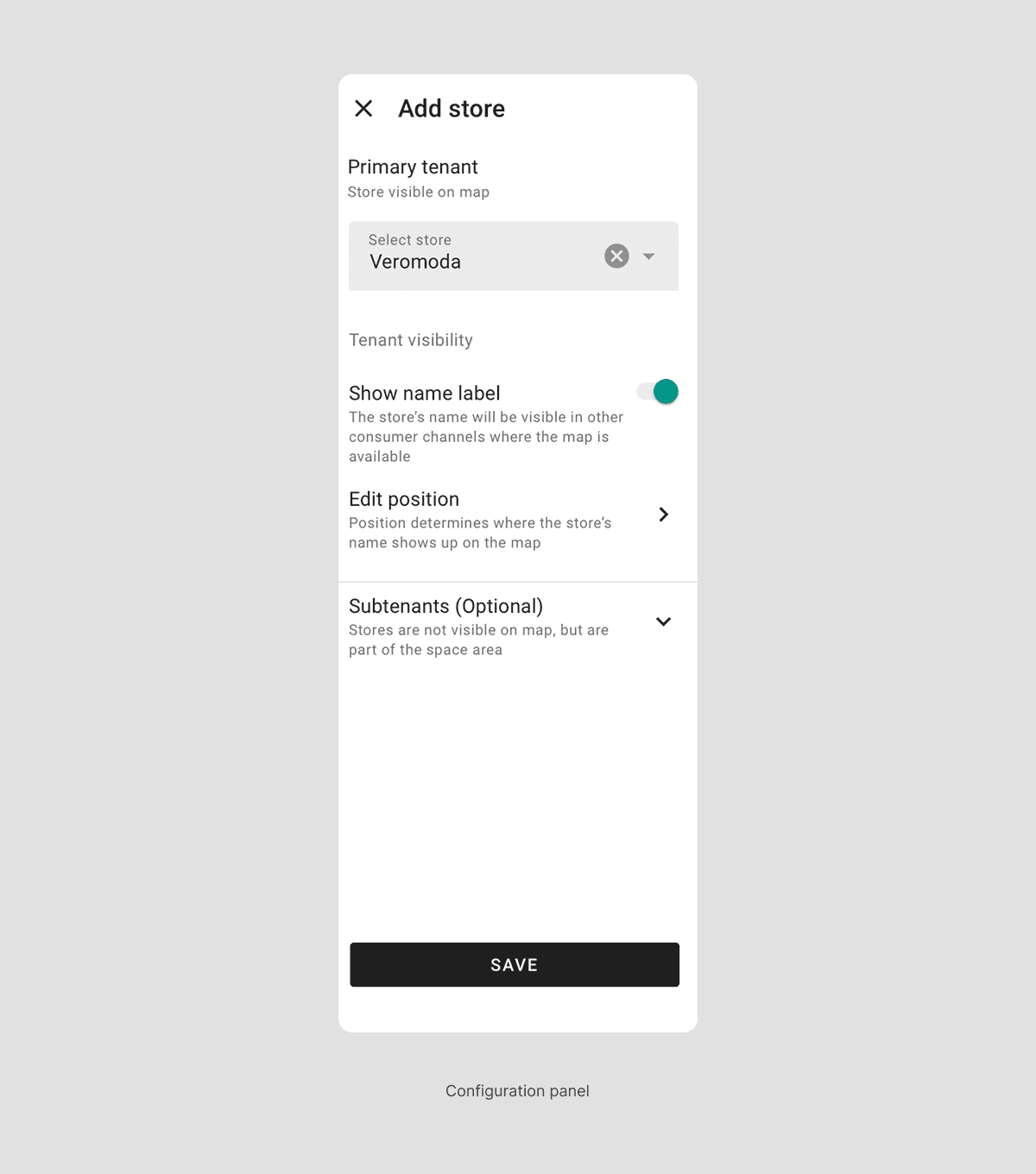
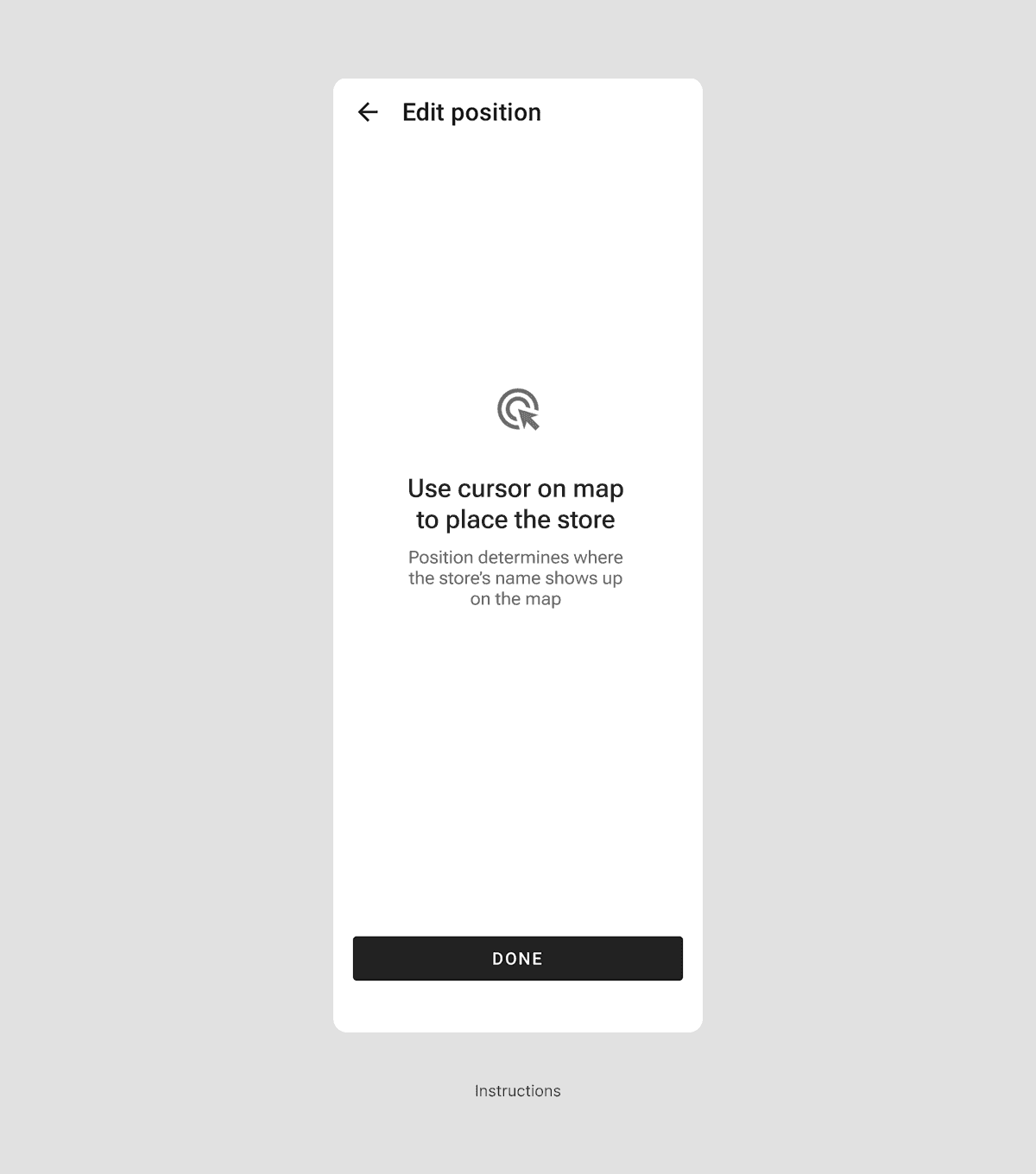
The stores are displayed in a scrollable list where Admins can quickly find the tenants, or quickly select them from the map.
A new split-screen layout with a modal panel gives users better context while editing, helping them stay focused and complete updates more efficiently.

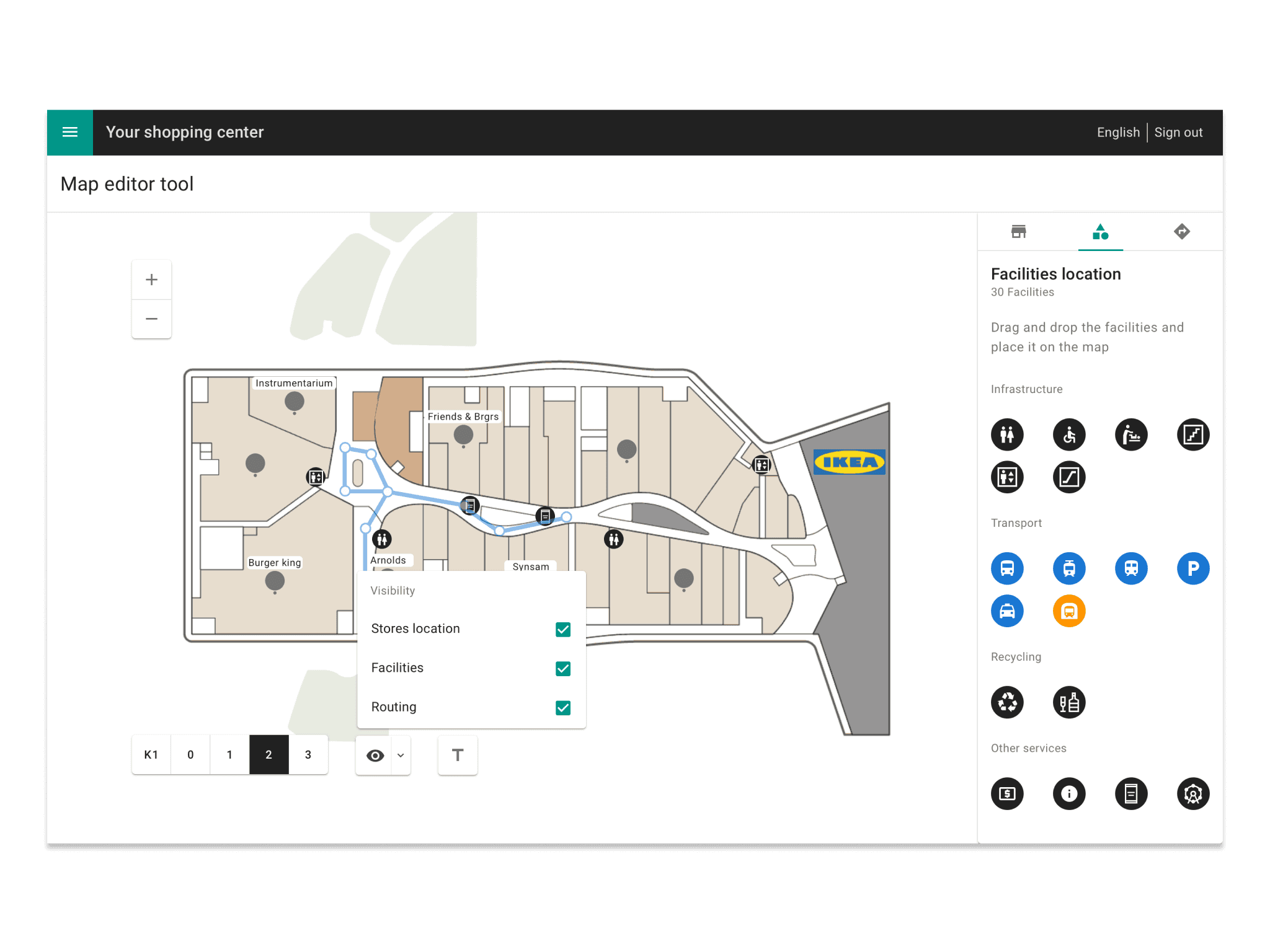
Adding facilities become easy
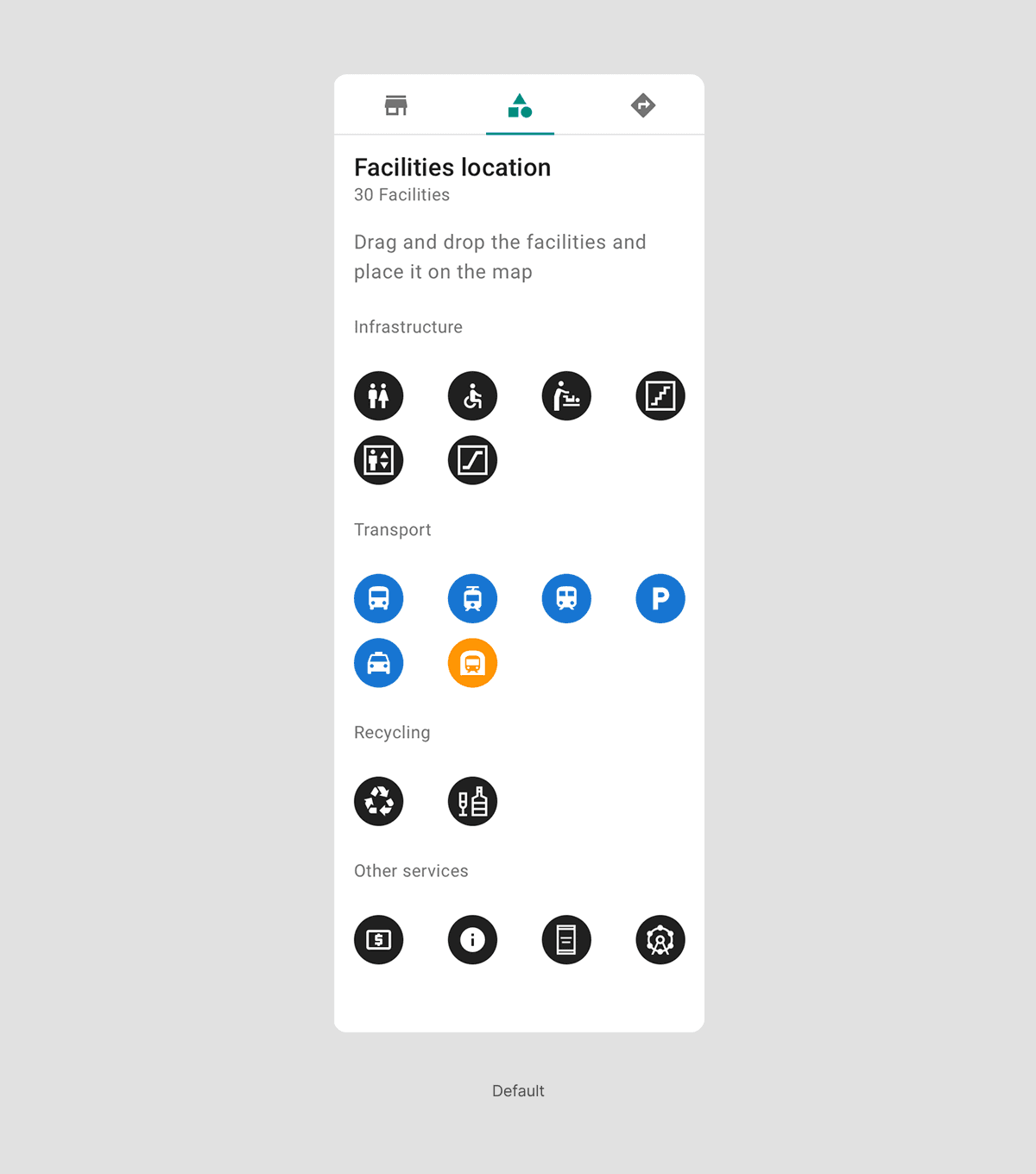
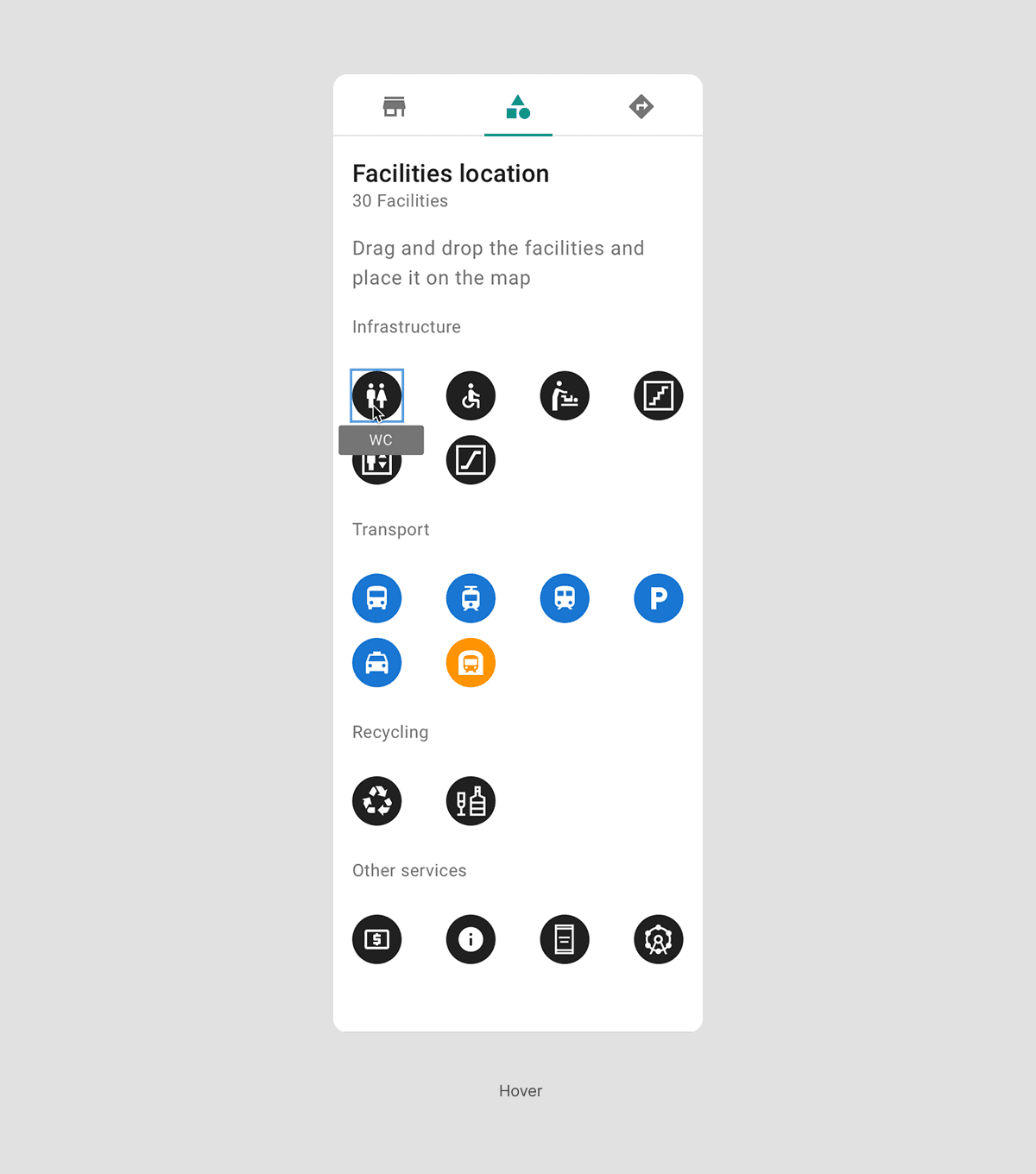
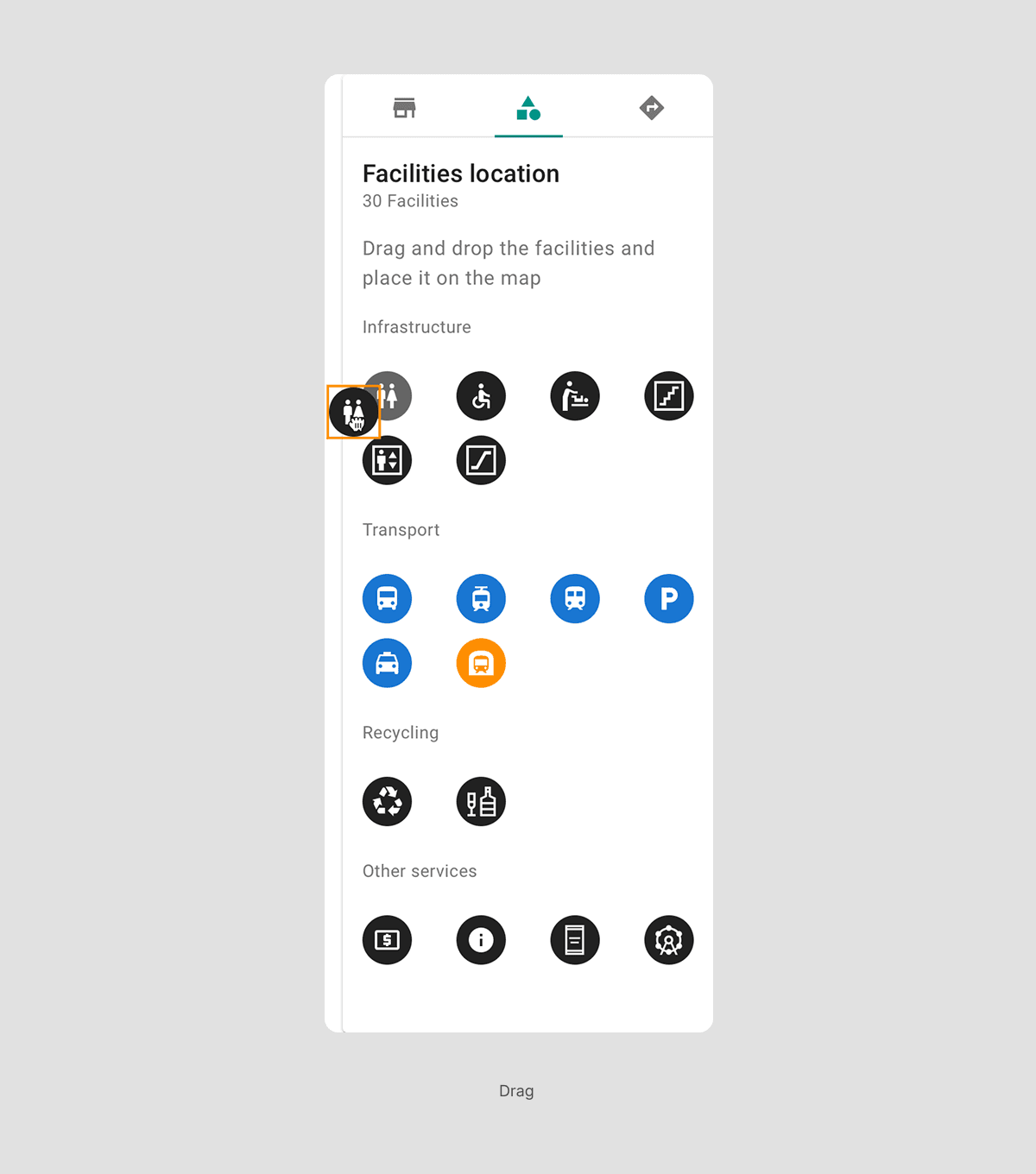
Services are displayed in a scrollable, categorized list for easy identification and quickly drag-and-drop onto the map. The modal provides editing context.
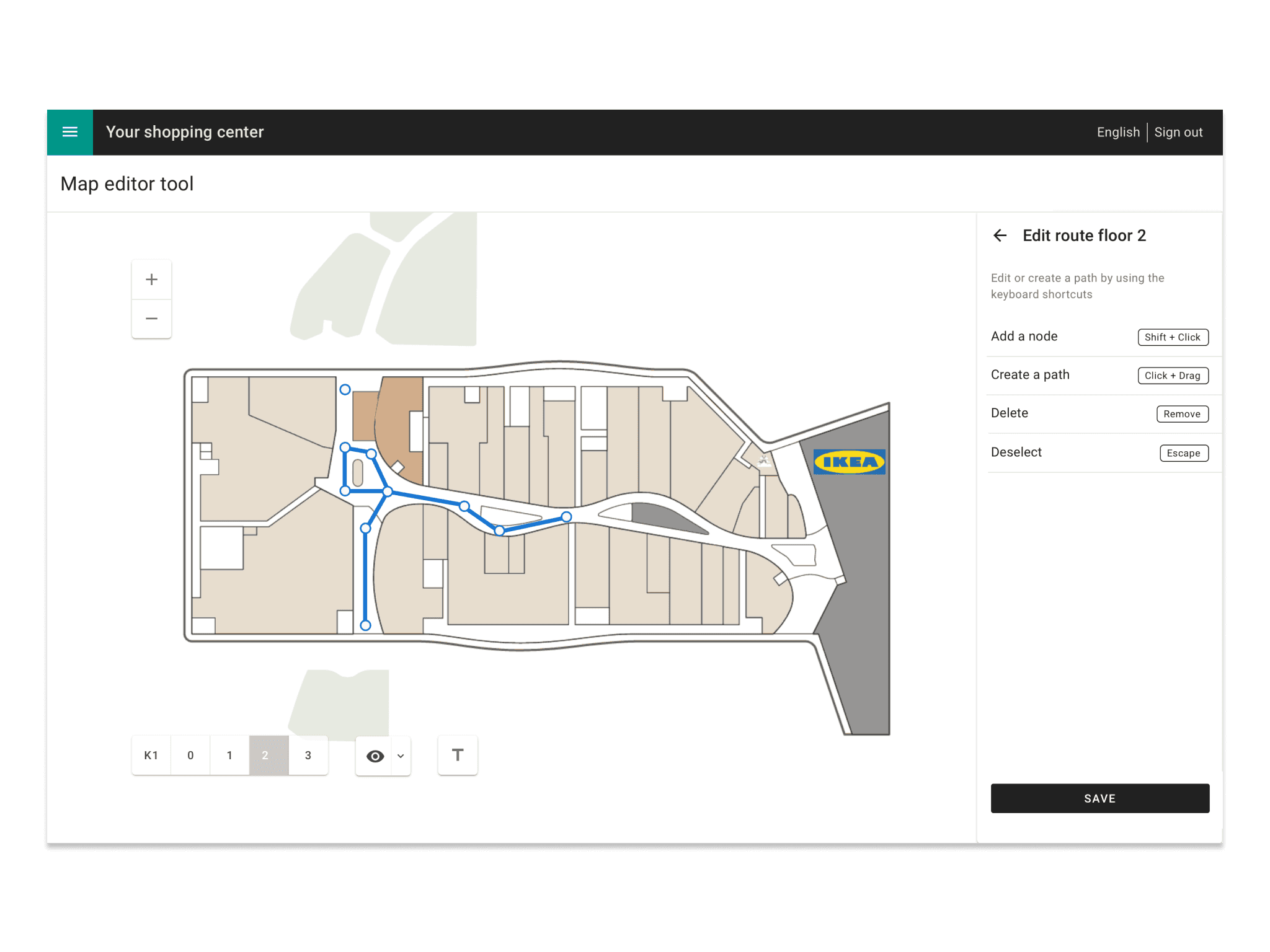
Routing instructions are more readable
Directions are now easier to follow and more readable. The original design lacked instructions for editing, adding, or deleting routes.
Layers visibility provide context
During discovery phase, I found that the visibility in the original design was something that users found really useful, so we decided to keep it. The different layers could toggled on and off, to gave our users a freedom of managing the map and have better sense of where to place the nodes when creating routes.
Learnings and Reflections
In this project I had to navigate through several engineer constrains and put my solving problems skills at max level to find the best design decision while balancing limitations and stockholders needs in ambiguous situations.
This was my first full-feature redesign, providing me with the experience and skills to tackle other complex projects.